Using Claude Opus 4.6 to bring Notational Velocity back to life on macOS Tahoe
Notational Velocity was one of those rare applications that did one thing perfectly. A lightning-fast, keyboard-driven note-taking app for macOS, it let you search and create notes in a single unified interface. No mouse needed. No friction. Just thoughts flowing into text.
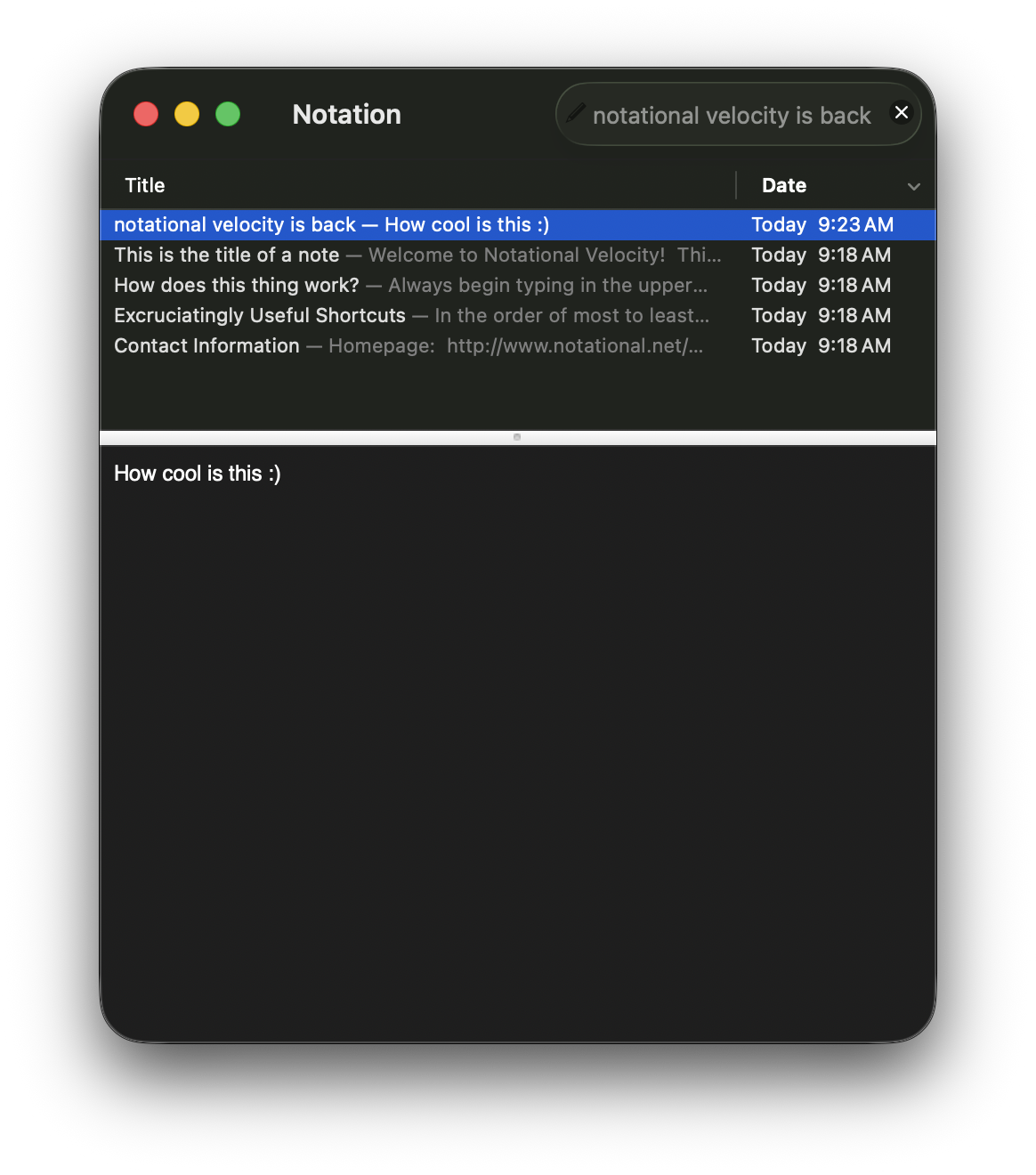
Then it stopped working.
The last commit to the open-source project landed in 2021, and somewhere between macOS updates and Xcode releases, the app wouldn’t build anymore. The codebase, written in Objective-C with roots going back to the Mac OS X 10.4 Tiger era, had accumulated just enough technical debt that modern development tools rejected it.
The Fix
I forked the repository and asked Claude Opus 4.6 to investigate why it wouldn’t build, initially through the mobile app. It connected to the GitHub repository, ran the build tools, parsed through the compilation errors, and identified three specific problems with how the code handled function pointers and linker settings.
The solution? Two type casts and one deleted line. That’s it. No architectural rewrites, no Swift migration, no “modernization.” Just enough to satisfy modern compilers while preserving everything that made the app good.
The entire process, from initial investigation on mobile to a working build on my machine, happened in less than 2 hours. After the code was fixed through the mobile app, I cloned the repository locally to my Mac and ran it in Xcode to verify everything worked. The subsequent packaging and release management was handled through Claude Code in the terminal.
What impressed me most: it never suggested rewriting the entire thing in Swift or “modernizing” the architecture. It understood the goal was minimal intervention: just enough to build, nothing more. The AI’s strength wasn’t in replacing human judgment about what to preserve; it was in executing the tedious work of tracking down compiler errors and making type-safe fixes.
What’s Still There
The codebase still generates hundreds of deprecation warnings for Carbon File Manager APIs, legacy AppKit methods, and old OpenSSL dependencies. These are all deprecated but continue to work on both Intel and Apple Silicon Macs through macOS 15. A proper modernization would require rewriting significant portions of the app—but that’s unnecessary for getting it running today.
The codebase is a time capsule of Mac development practices from 2006-2012: Carbon APIs, FSRef file management, hand-rolled crypto, minimal dependencies. It predates ARC, blocks, Grand Central Dispatch, and most of modern Cocoa.
The Distribution Problem
Building the app was only half the battle. Distributing it revealed a second issue: macOS Gatekeeper.
When users download the app and try to open it, macOS blocks it with a security warning:
“Notational Velocity” cannot be opened because Apple cannot verify it is free of malware.
This is expected behavior for unsigned apps. Here’s how to work around it:
For Users: System Settings Workaround
- Download the DMG and drag the app to Applications
- Try to open it (it will be blocked)
- Go to System Settings → Privacy & Security
- Scroll to “Security” and click “Open Anyway”
- Confirm in the dialog
Alternatively, right-click the app and select “Open”—this bypasses Gatekeeper on the first launch.
Upstream Contribution
I’ve submitted a pull request with these fixes to the original Notational Velocity repository. If the original author merges it, users will be able to get signed releases directly from the official project.
If the PR isn’t merged, I’ll distribute properly signed and notarized releases from my fork once my Apple Developer account is approved (currently pending). The Developer account enables:
- Code signing with a Developer ID certificate
- Notarization via Apple’s automated malware scan
- Distribution without security warnings
The Result
The modernized build is available now:
Repository: github.com/and/nv4 Release: v1.0 - Modern macOS Build
The release includes:
- DMG installer ready to run on macOS Sequoia (and earlier versions)
- Full compatibility with Apple Silicon and Intel Macs
- All original features intact
Why It Matters
In an era of Electron apps, subscription note services, and feature-bloated productivity suites, Notational Velocity remains a masterclass in focused software design. It:
- Launches instantly (< 0.5 seconds cold start)
- Searches instantly (incremental search as you type)
- Stays out of your way (no chrome, no sidebars, no “experiences”)
- Stores notes as plain text files (future-proof, greppable, version-controllable)
- Works entirely from the keyboard (mouse optional)
But it’s also a reminder that software doesn’t have to be constantly rewritten to stay valuable. Sometimes the right intervention is the smallest one: just enough modern compatibility to keep running on current hardware, without sacrificing the characteristics that made it good in the first place.
Some software deserves to keep working.
TL;DR: For Developers
What Claude Found
Three specific compilation errors when building on Xcode 16 with macOS SDK 26.2:
1. Incompatible Function Pointer Types in LinkingEditor.m (Line 980)
Code that dynamically swaps cursor implementations assigned function pointers to IMP types without proper casting:
method_setImplementation(defaultIBeamCursorMethod,
    shouldBeWhite ? whiteIBeamCursorIMP : defaultIBeamCursorIMP);
Error: “incompatible function pointer types passing ‘id ()(Class, SEL)’ to parameter of type ‘IMP’ (aka ‘void ()(void)’)”.
Fix: Add explicit cast to IMP:
method_setImplementation(defaultIBeamCursorMethod,
    (IMP)(shouldBeWhite ? whiteIBeamCursorIMP : defaultIBeamCursorIMP));
2. Incompatible Function Pointer Types in GlobalPrefs.m (Line 102)
methodForSelector: returns an IMP but was being assigned to a typed function pointer without explicit cast:
runCallbacksIMP = [self methodForSelector:@selector(notifyCallbacksForSelector:excludingSender:)];
Fix: Cast the IMP to the specific function pointer type:
runCallbacksIMP = (id (*)(GlobalPrefs*, SEL, SEL, id))[self methodForSelector:@selector(notifyCallbacksForSelector:excludingSender:)];
3. Unknown Linker Option
The Xcode project included -whatsloaded in OTHER_LDFLAGS, a legacy flag removed in modern linkers.
Fix: Delete the flag from project settings:
OTHER_LDFLAGS = (
    "-whatsloaded",  // ← Deleted this line
    "-weak_framework",
    PDFKit,
    ...
);
What’s Not Fixed
The codebase still has:
- Hundreds of deprecation warnings for Carbon File Manager APIs (
FSRef,FSSpec, etc.) - Warnings about deprecated NSAlert methods (
NSRunAlertPanel, etc.) - Warnings about legacy pasteboard types
- OpenSSL dependencies (should migrate to CommonCrypto)
These generate warnings but don’t prevent compilation. They work through OS compatibility shims.
If you’re interested in helping maintain or extend this project, contributions are welcome at github.com/and/nv4. Special areas for improvement: migrating to CommonCrypto, replacing Carbon File Manager calls with modern equivalents, and adding proper code signing infrastructure.