A busy light for my laptop
Open offices make interruptions effortless. Most status indicators are invisible at the moment a conversation starts. I work with product, design and marketing teams, and I noticed that a Slack status was ignored the moment someone saw me at my desk.
So I made a physical one.
What it does
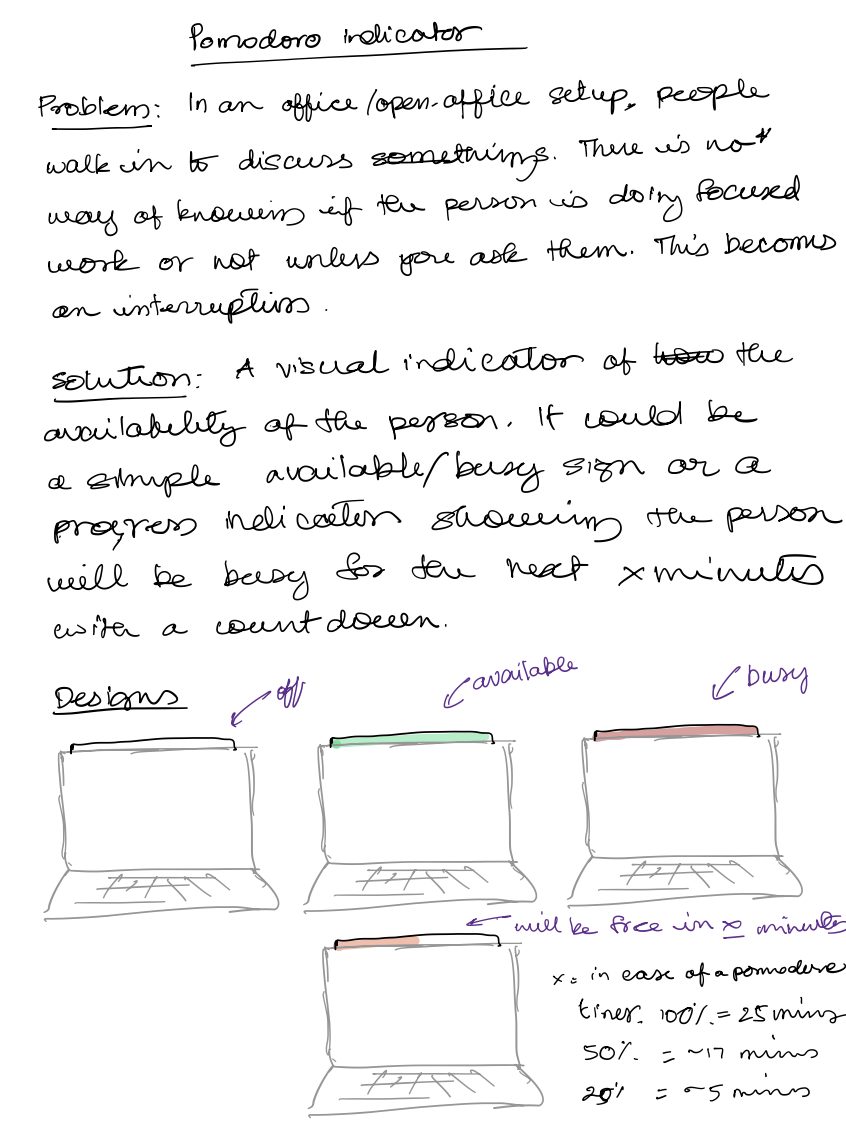
A light bar sits on top of a laptop screen and shows availability by colour. Green means available. Red means busy. A Pomodoro mode shows a red bar that shrinks as time passes, so a colleague can see how long until I’m free without asking.
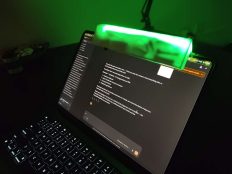
What I did, and what I didn’t
I noticed the problem from daily office life. I designed the interaction model, which has four states: off, available, busy and Pomodoro countdown. I also specified the form factor and how it attaches to the screen.
A remote hardware collaborator wrote the Arduino code and did the 3D printing, and I worked with them remotely. The device runs on a LiPo battery and charges over USB-C.
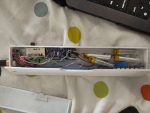
Busy (countdown) state, available state, and the inside: an Arduino Nano, an LED strip and a LiPo battery.
What I learned
Two problems showed up in use.
- It was heavier than I intended, and it could not stay on top of the laptop screen. I had to put it on the desk, where fewer people could see it.
- The countdown did not work as drawn. I could not draw the countdown with 25 individual LEDs because of the thickness of the material. A pair of 7-segment displays would have worked better.
The result I did not expect was that the device became a novelty. Colleagues were more curious about the gadget than about the signal it was sending. A “don’t interrupt me” device turned into the biggest conversation starter in the office. I stopped bringing it to work.
The next version needs to be lighter, or built into something people already wear, such as headphones.