A tracker for a 28-day leg strength program
This is the “change something and see progress” step. It is a small web app for following a 4-week leg strengthening program with resistance bands. It tracks each day’s workout, your measurements and your progress, and syncs across devices when you sign in with Google. You can use it here.
It’s a personal tracker, not medical advice. Check with your doctor or physical therapist before starting any program.
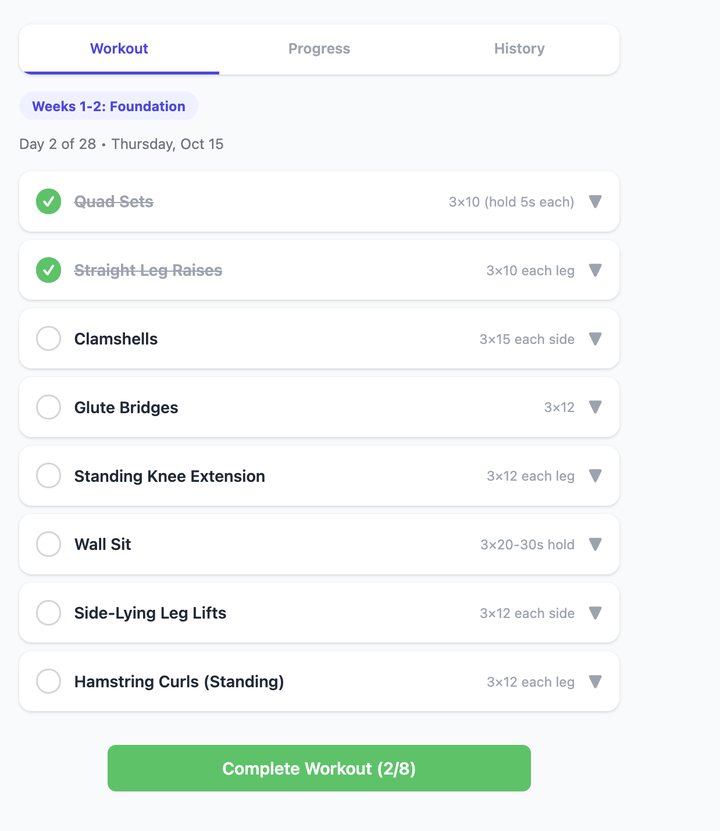
The program
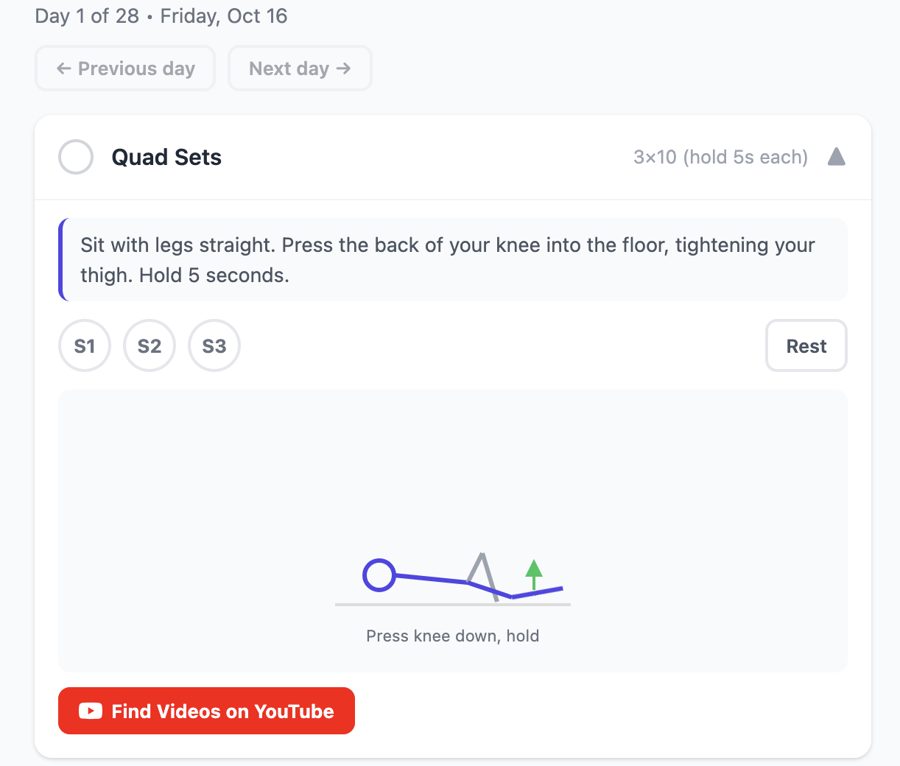
It runs for 28 days in two phases: Weeks 1 and 2 are Foundation, and Weeks 3 and 4 are Progression. Each exercise has set buttons, a cue for how to do it, an animation and a video link (shown below). A rest timer starts when you finish a set. You can pause it, skip it, or add 15 seconds.
The day only moves when you finish
- The day never advances with the calendar. Skip a day and the program waits. You do Day 5 when you finish Day 4.
- Complete Workout stays locked until every exercise for the day is done. The button counts for you, for example
Complete Workout (2/8). - You can look back without changing anything. Previous day and Next day show an earlier day’s workout, read-only, with what you logged.
- You can restart from an earlier day. Resume from this day makes it your current day again. It deletes the workouts logged from that day on, after a confirmation, and keeps your measurements.
Measuring progress
The Progress tab shows workouts this week and charts for thigh circumference, balance and wall sit, and pain and knee confidence. History lists past workouts and has a Reset progress button, which returns you to Day 1. You choose whether it also deletes your measurements.
Your data
Each person can read and write only their own data. The database rules enforce that, and no one else’s data is visible. The site is a single HTML page with no server of my own. It uses Google sign-in and Firebase to keep your workouts, measurements and current day in sync across your devices.
Running your own copy
You can run your own copy by creating a Firebase project, turning on Google sign-in and a Firestore database, deploying the rules, and putting your own configuration in the page. The steps are in the README on GitHub.