Scattered Notes: capture first, let the dashboard organise
Prefer to see it? Scroll through the story.
Notes get scattered. A to-do sits in one note, “call the bank tomorrow” sits in another, and a plan for next week is in a third. Nothing connects them, so the only way to know what needs doing is to reread everything.
Scattered Notes is an app for Mac and Windows, with iPhone and Android companions, built around two steps:
- Capture. Get the thought down in seconds, without deciding where it goes.
- Unify. A dashboard collects everything that needs action from all your notes, with nothing to set up.
Step 1: capture
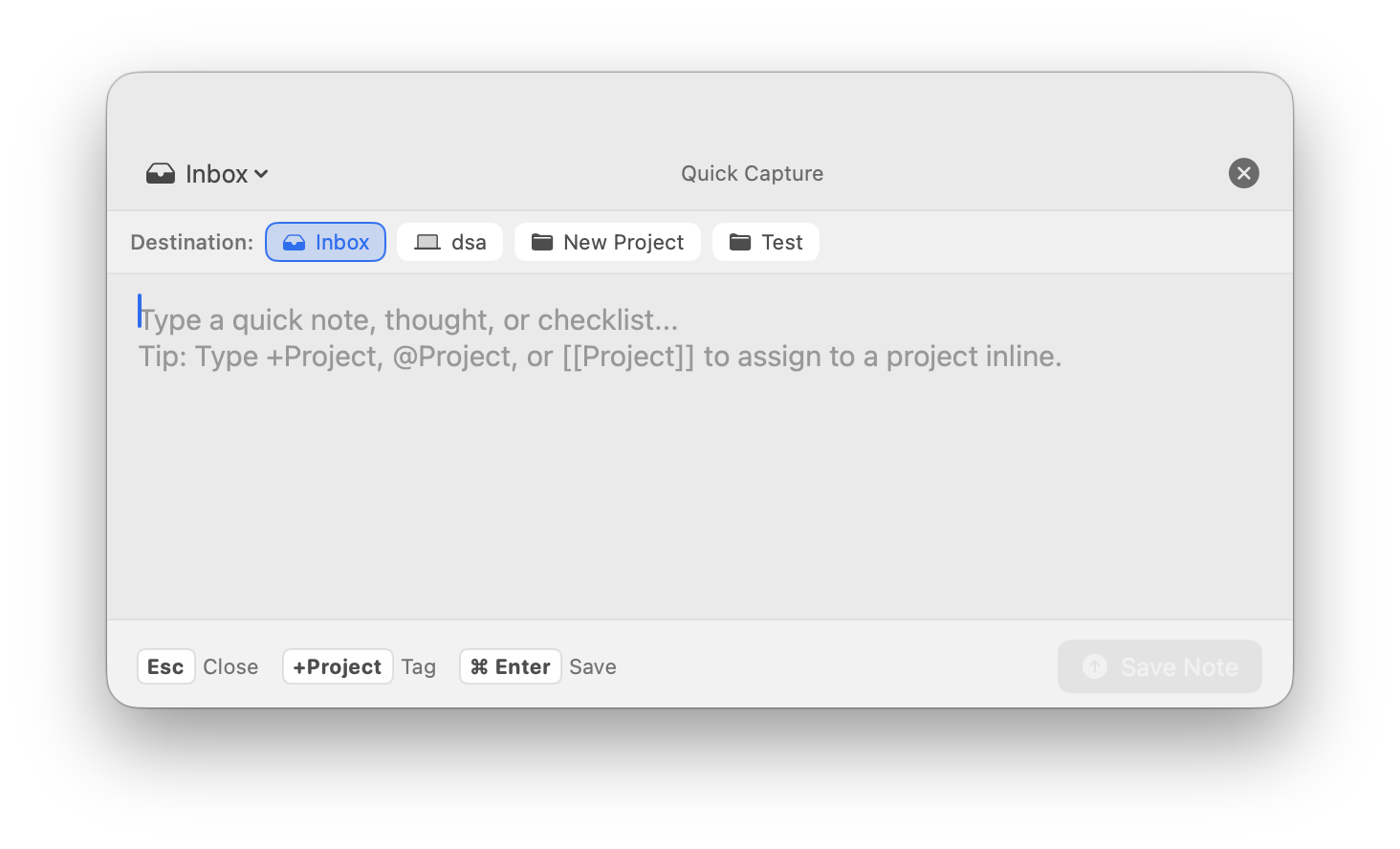
Press ⌥ N in any app and a small window opens, ready to type. Write the note, pick where it
belongs (the Inbox, a Project or an Area) or don’t, and press ⌘ ↵ to save it. Esc cancels.
You can change the shortcut in Settings.
Notes are plain Markdown files in a folder you choose, with a little frontmatter on top. You can open them in any editor, sync the folder, or keep it in Git.
Step 2: unify
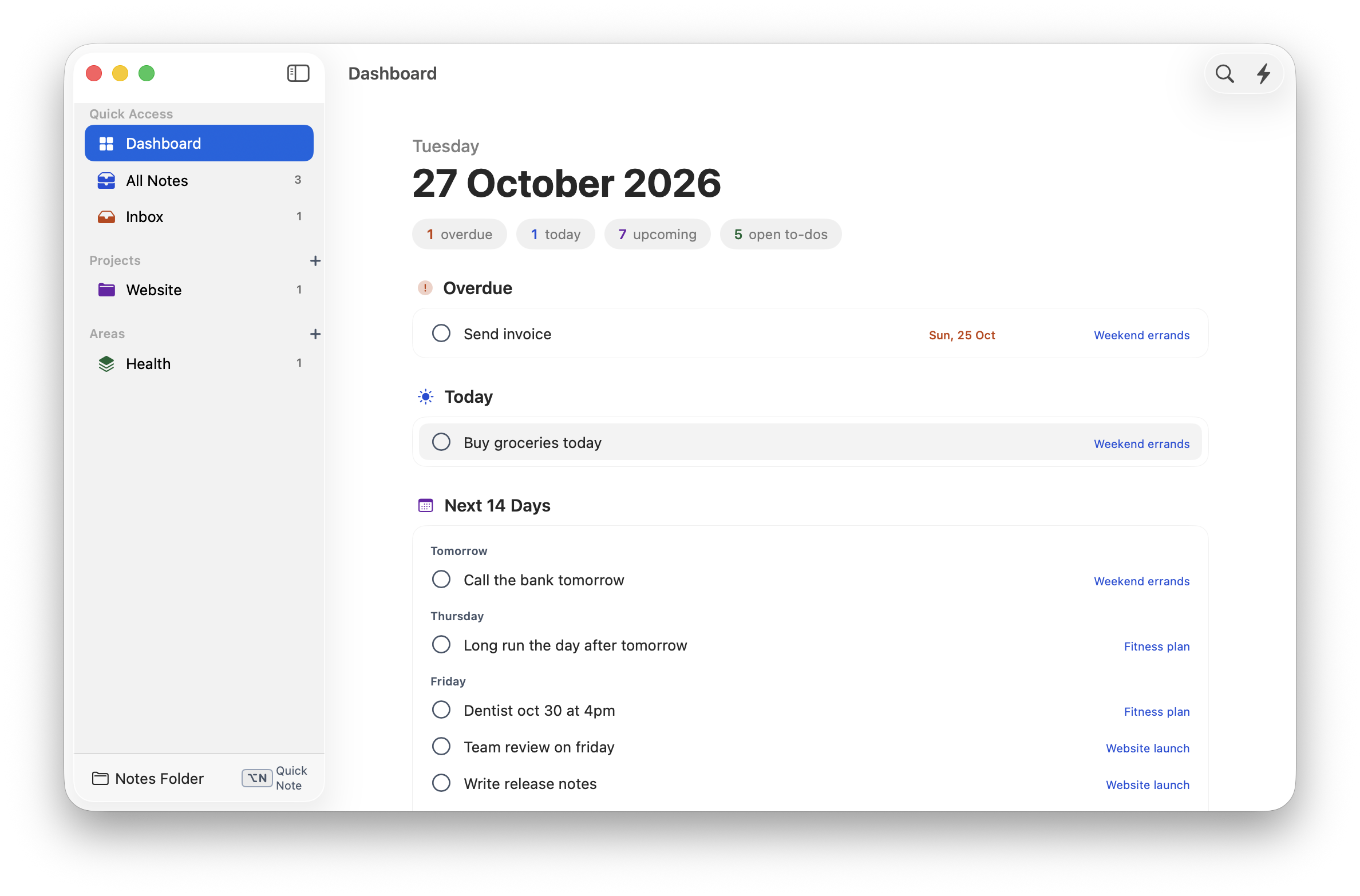
You don’t build the dashboard. It reads every note and picks out two kinds of line:
- Checklist items:
- [ ] Renew passport - Lines that mention a day, even without a checkbox:
Team dinner on friday,Dentist oct 30 at 4pm,Send invoice @2026-11-02
Those become the dashboard: what is overdue, what is due today, and what is coming in the next 14 days, plus every open to-do. Each item names the note it came from, and clicking the name opens that note.
Dates can be written the way you’d say them: today, tomorrow, the day after tomorrow,
in 3 days, next week, friday, next friday, oct 30, 30 October, or a full
2026-10-30. A line like the day after counts from the closest dated line above it.
“Tomorrow” means the day you wrote it
A relative word is only useful if it keeps its meaning. If you write “call the bank tomorrow” on Monday and open the app on Thursday, it should still point at Tuesday.
So the app keeps a small log, a hidden .agenda-log.json in your notes folder, that records
when each line first appeared. Relative words are measured from that moment, not from when the
note was created or last edited. Add a line to an old note and the older lines stay where they
were. The log is only derived data: delete it and the app rebuilds it.
Ticking things off
Click the circle next to any item, on the dashboard or in the agenda column at the edge of the
note. If the line was plain text, it becomes a checked item (- [x] ...) in the note.
Finding things again
⌘ K inside the app, or ⌥ F from any app, opens a search over all your notes. Every word
you type must match somewhere in the note (title, text, tags or project), and results show the
matching line with your words highlighted. Press ↵ and you land in the note with the cursor
just after the word you searched for.
Try it
Download the latest build from the
releases page. It is signed and
notarized by Apple, so it opens without a warning. Unzip it, drag ScatteredNotes.app to
Applications and open it. It needs macOS 14 or later and runs on Apple silicon and Intel
Macs.
The code is on GitHub.